Cannot find the file "System.mdw": how to fix it

Contents
Many of the management software packages for small and medium businesses still around today use Microsoft Office 2000 Runtime.
And so, often, you end up hitting bizarre errors that break the program.
The most common one, which I’ve run into several times, is:
Cannot find the file C:\Windows\System\System.mdw
What causes it
This problem, which in most cases involves Microsoft Access, can be caused by operating system updates (that’s normal when you’re using software built on a runtime from over fifteen years ago).
So let’s see how to fix it easily on the most recent Windows Vista, Windows 7, Windows 8 and Windows 10.
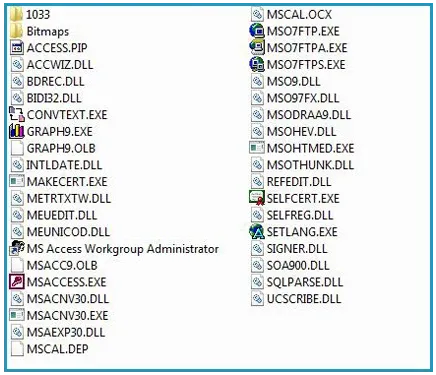
The file linked below is the property of Microsoft Corporation and is republished here only because it is now impossible to find anywhere else. All rights belong to their respective owners; the file will be removed at the rights holder’s request.
How to put it right
First of all, make sure you’ve closed all open programs. Then:
- Download the following installation package: access-2000-runtime.zip.
- Open it, extract the “a2krtinstall.exe” file inside it if possible, then run it.
- Once the installation is complete, restart the PC.
If the installer will not start
If you can’t open the “a2krtinstall.exe” file and proceed with the Access 2000 Runtime installation, try running it in compatibility mode for Windows Vista. If you’re actually on Windows Vista, select “Windows XP SP2”.
After restarting the system and reopening the software that was broken, you should no longer get that annoying error message.
The procedure can be repeated every time the problem comes back.
Frequently asked questions
What exactly is the System.mdw file?
It's the Microsoft Access workgroup information file: it contains the users, groups and permissions the database is opened with. If the runtime can't find it, it doesn't know which identity to open the application with and stops before even showing you anything.
Do I have to install the whole Office suite to fix it?
No, and that would be the wrong approach anyway: you only need the Access 2000 runtime, which is the component the business software of that era expects to find. Installing a modern version of Office doesn't help, because the program is looking for that specific runtime.
Does this also apply to Windows 11?
This guide was written for Windows Vista, 7, 8 and 10. On Windows 11 a runtime from 2000 almost always has to be run in compatibility mode and nobody can guarantee it will keep working. If the management software is still in production, the real solution is to plan its migration: here we're keeping a twenty-five-year-old component alive.